one access.
One platform for every role in an ABA practice — replacing a tab-switching workflow with a single, role-aware system from intake to discharge.
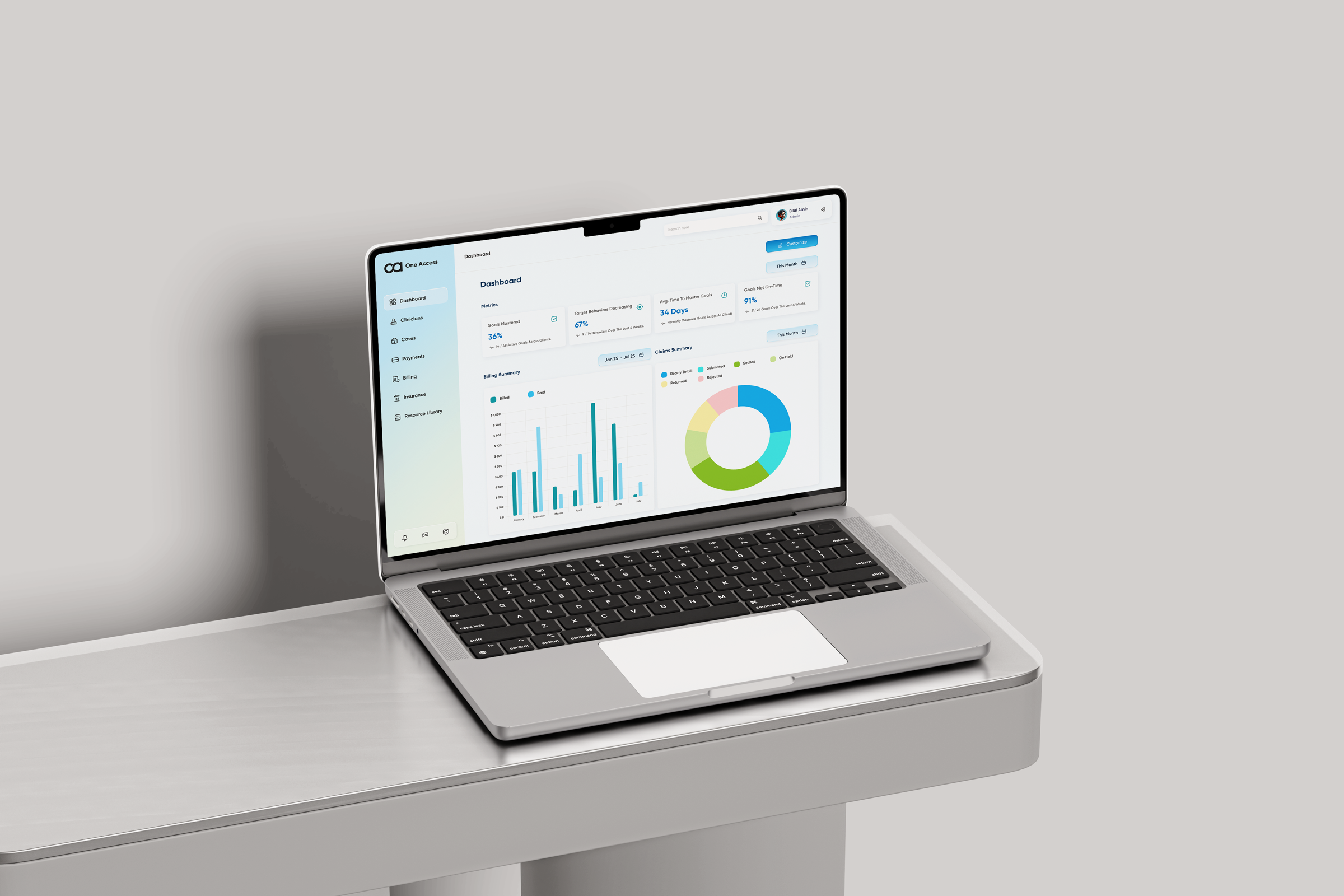
ABA practices run on legacy software. Clinicians pay the price.
Applied Behavior Analysis is the gold-standard intervention for autism — but the tools behind it are compliance-first, not clinician-first. A typical practice juggles three to four disconnected platforms a day for scheduling, documentation, and billing — and the time tax lands on the people closest to the child.
"Approvals get lost in email — I can never tell who has signed what."Program Manager — unclear approvals
"The note-taking tool fights me — I retype the same fields all day."Registered Behavior Technician — confusing tools
"Case data lives in five places. I rebuild a folder every intake."Admin — fragmented case data
"I need oversight across the whole platform — not a tab per task."Clinical Director — needs platform-wide oversight
"Documentation eats hours that should belong to clients."Board Certified Behavior Analyst — heavy documentation load

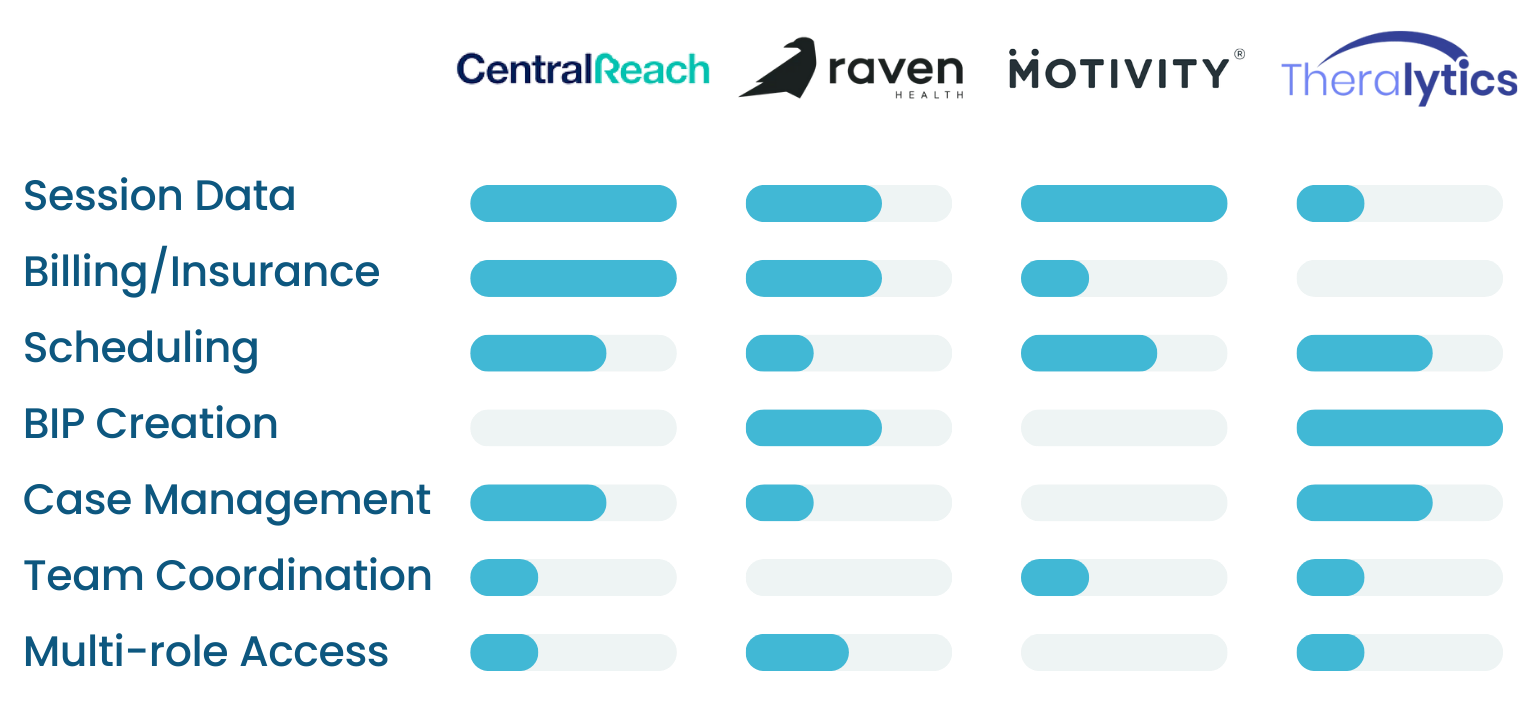
We audited the tools every practice already pays for. Each one solves a slice — none solves the whole.
Practitioners said the same thing across interviews: they hadn't picked the best tool, they'd picked the least-bad one in each category. We mapped the four leading platforms against the seven jobs an ABA practice has to do every day.
Tab-switching tax
Every role moves between three to four platforms a day — context vanishes at every handoff.
Documentation as a wall
Notes, BIPs, supervision logs — the busiest people in the practice carry the heaviest paperwork.
Permissions as guesswork
Role-based access exists in name only — clinicians see what the URL lets them see, not what their role should.
Platforms used per role, per day
Switching cost — and reconciliation cost — borne by the clinician, not the software.
consolidate the ABA workflow into one platform that serves every role end-to-end — without forcing each role into someone else's interface?
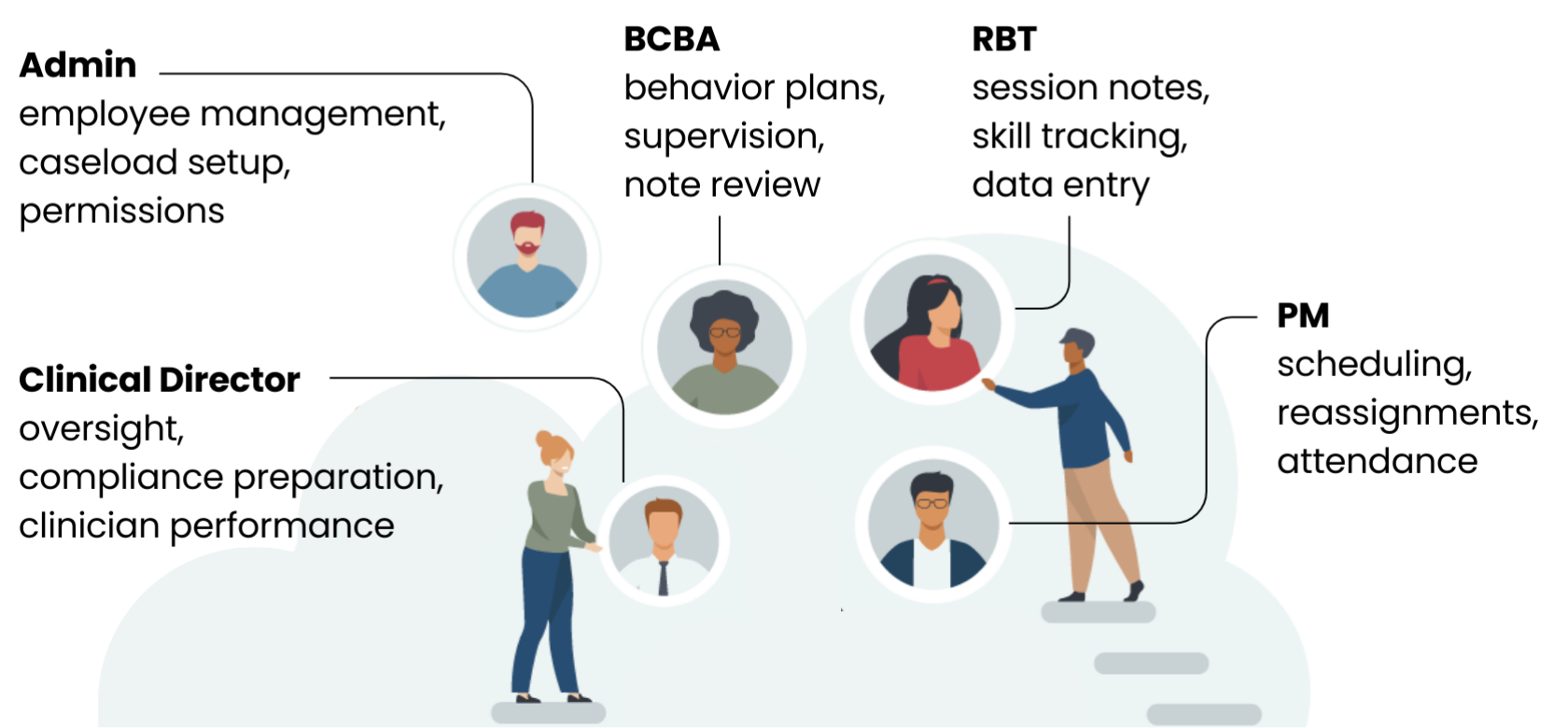
One platform. Five role-aware workspaces.
Instead of a generic dashboard everyone has to bend to fit, we shaped each role's home around the work they actually do — and let the data flow between them automatically. A session note becomes a billing event becomes a payroll line — no one has to copy it.
Operations
Employee management, caseload setup, permissions.
Oversight
Compliance preparation, clinician performance, supervision tracking.
Clinical
Behavior plans, supervision, note review, BIP authoring.
Coordination
Scheduling, reassignments, attendance, telehealth.
Field
Session notes, skill tracking, data entry on a phone-friendly surface.
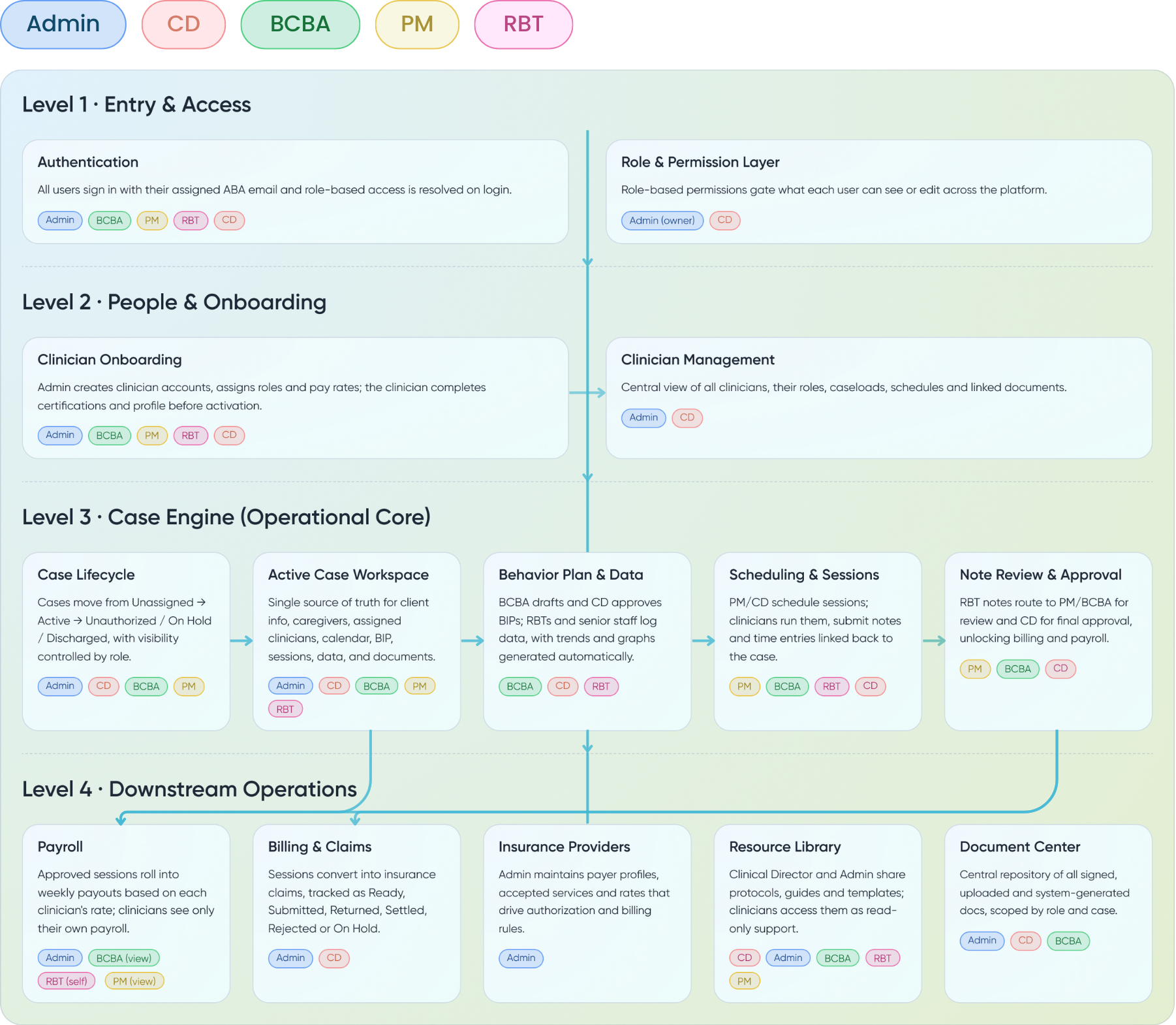
Four levels — Entry, People, Case Engine, Operations.
Before a single screen got designed, we mapped the entire system as a pipeline: who logs in, who they bring with them, what cases run inside, and what flows out the other side. Every feature on the platform sits inside one of these four levels — and every role's permissions are defined against them.
Behavior tracking that's measurable, supervised, and auditable.
- Role-based access enforced at the route, not just the UI — clinicians see what their role authorises.
- Session → note → billing pipeline runs automatically — RBTs stop retyping codes.
- HIPAA-aware document access — every signed document is scoped by role and case.
- Integrated scheduling with telehealth — sessions, supervisions, and reassignments live on one surface.
- End-to-end case lifecycle — Unassigned → Active → On Hold → Discharged, visible to everyone who needs it.
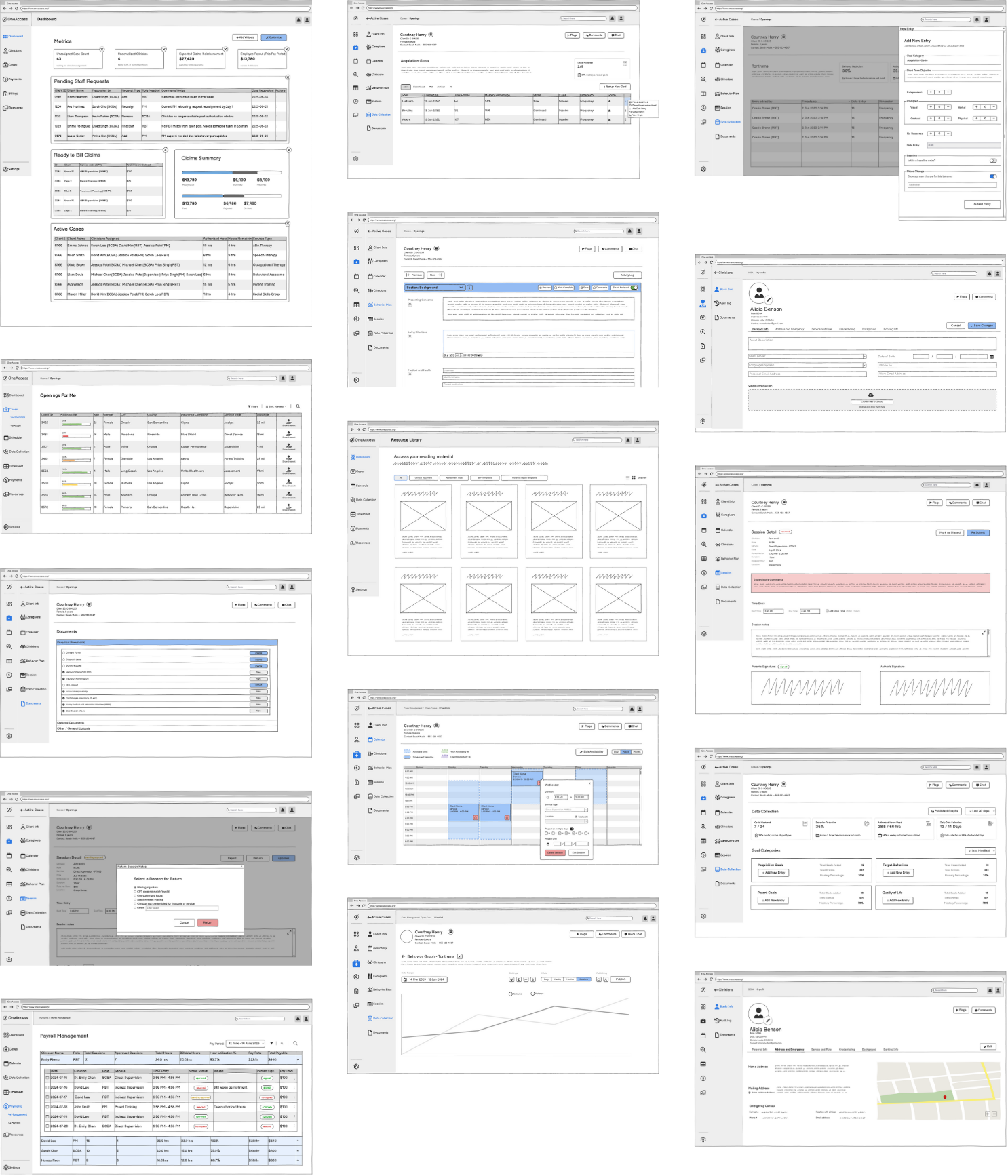
Lo-fi first, on purpose. Information hierarchy before pixels.
We spent weeks on greyscale wireframes — schedules, intake screens, session notes, billing tables, BIP authoring, supervision review. The density of an ABA workflow only resolves when you see the whole flow at once, and getting hierarchy wrong in colour is much more expensive than getting it wrong in grey.
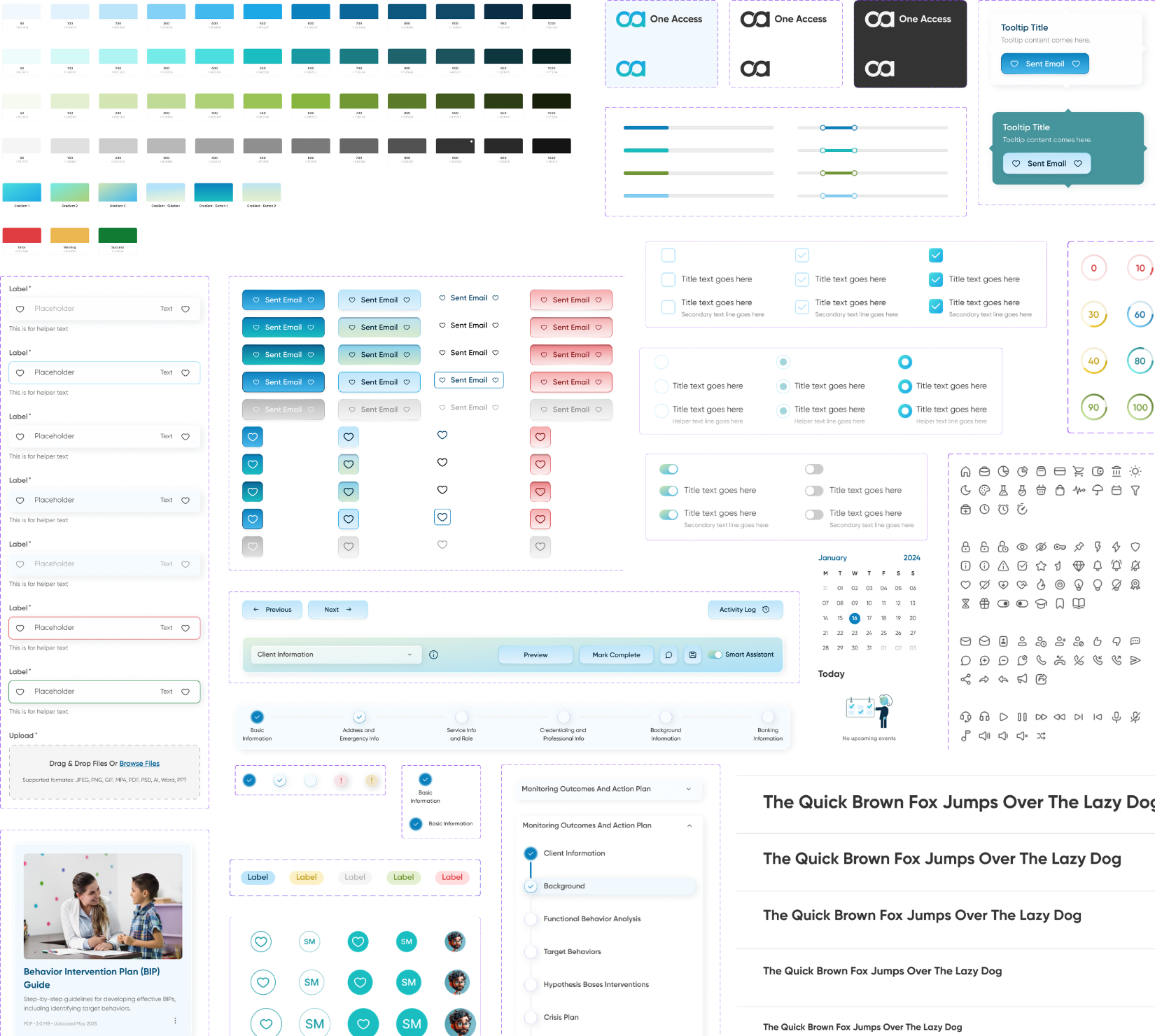
Five roles. One platform. Every screen earns its place.
The shipped product is a single codebase serving five distinct workspaces — each one tuned to the role it serves, none of them generic.
Dashboard that opens to the work
Caseload distribution, weekly volume, and the day's flagged items — the home screen reads like a clinical handoff, not a sales report.
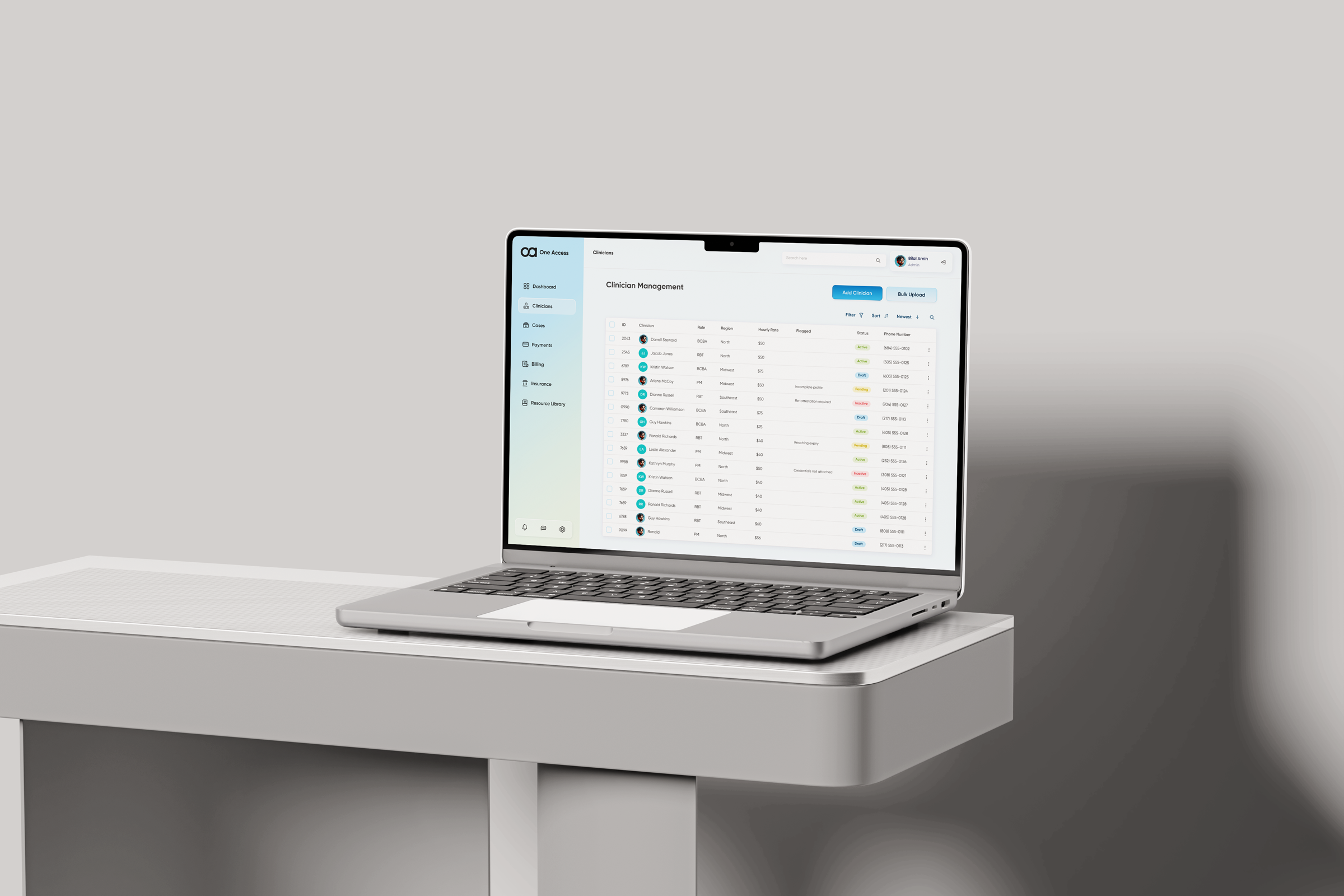
Clinician management at a glance
Roles, status, certifications, and active caseload — the table the Clinical Director actually wanted, with the controls Admin needs sitting one click away.
Client profile as the spine
Demographics, plan, sessions, documents, billing — every role sees the same client record, with the slice their role earns. No copying. No reconciliation.
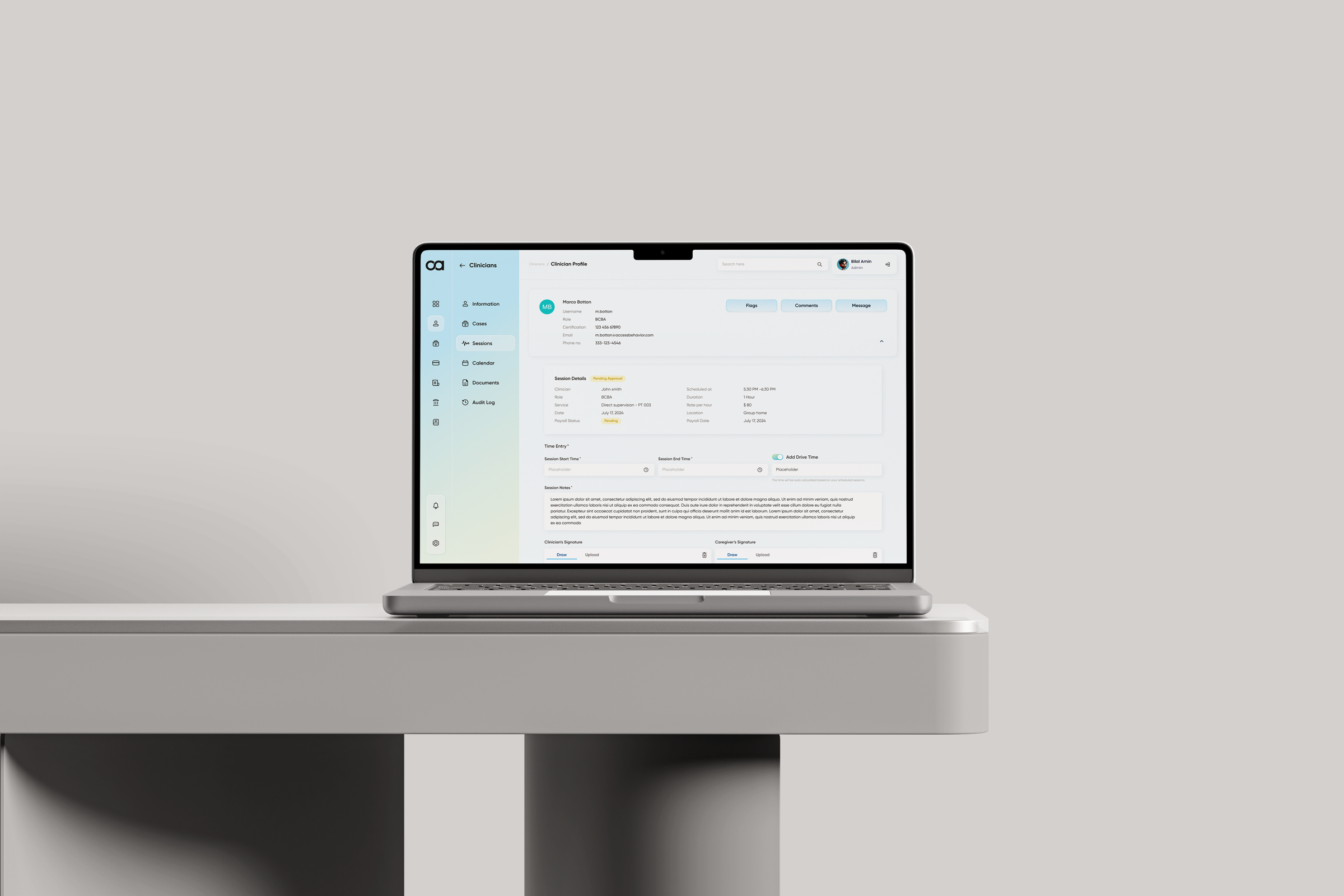
Session report as proof of work
Behavior trend over time — charted, not summarised. The BCBA reviews progress; the RBT sees their data take shape; the family sees a number that means something.
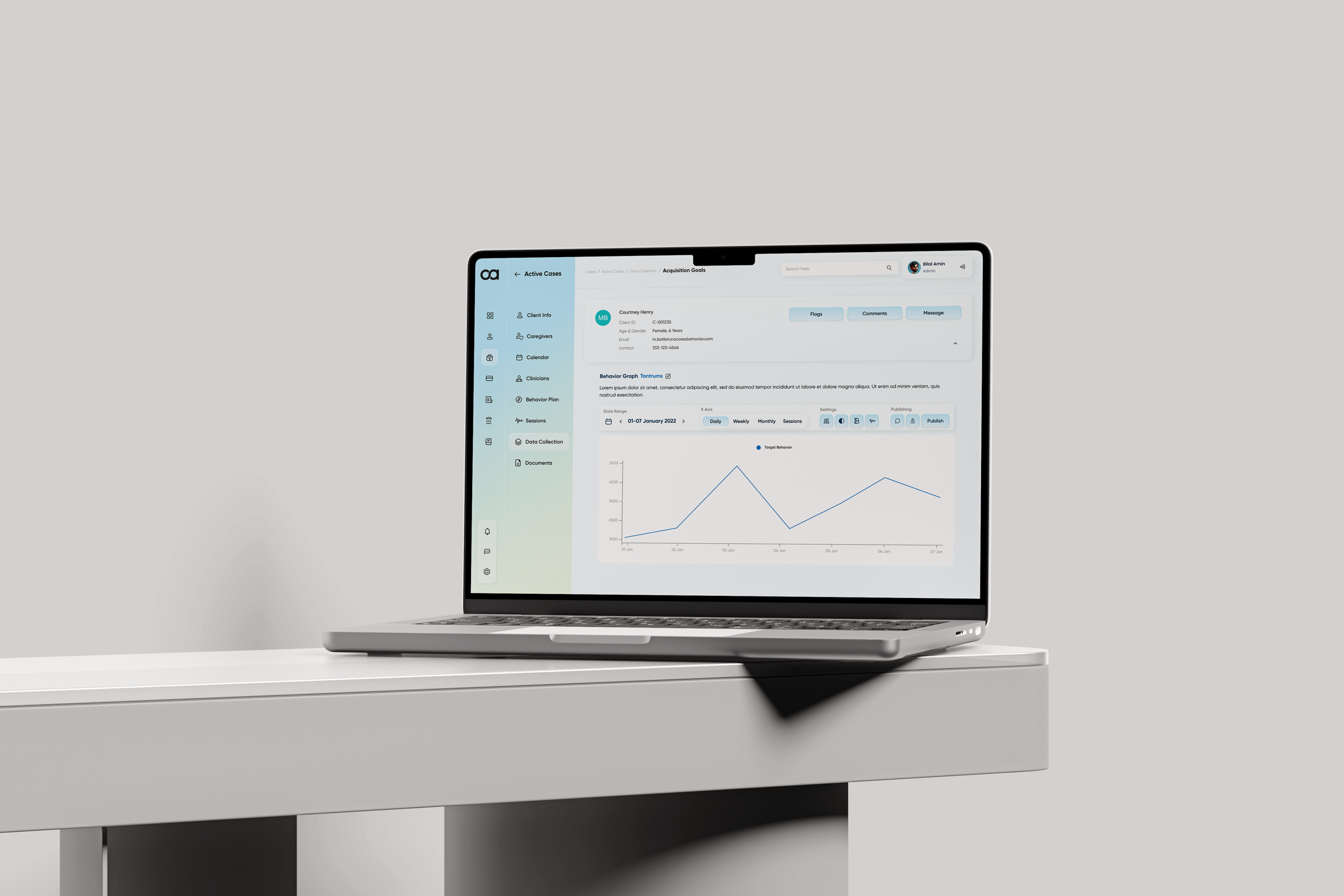
From four tools to one. The reconciliation tax goes to zero.
One Access shipped as the consolidated workspace for an ABA practice — replacing the stack each role had been stitching together by hand.
role-aware workspaces — Admin, CD, BCBA, PM, RBT — on a single codebase.
platforms collapsed into one. Session data, scheduling, billing, and case management on one surface.
manual handoffs between session note, billing event, and payroll line — the pipeline runs itself.
Operational consolidation
One workspace per role, one codebase across all of them. The reconciliation that lived in spreadsheets now lives in the data model.
Compliance by default
Role-based access, audit-ready document storage, and supervisory review baked into the workflow — not bolted on after the fact.
Time back to clinicians
Auto-flowing session → note → billing pipeline returns hours of weekly admin to the BCBA — and gives RBTs a session note worth writing.
Designing for many roles isn't designing five products. It's designing one system, then five lenses.
The hardest part of One Access wasn't any single screen — it was earning the right to share a single underlying record between roles whose incentives, workflows, and definitions of "done" were entirely different. The work that mattered most happened in the data model and the permissions matrix, long before the UI started to look like a product.
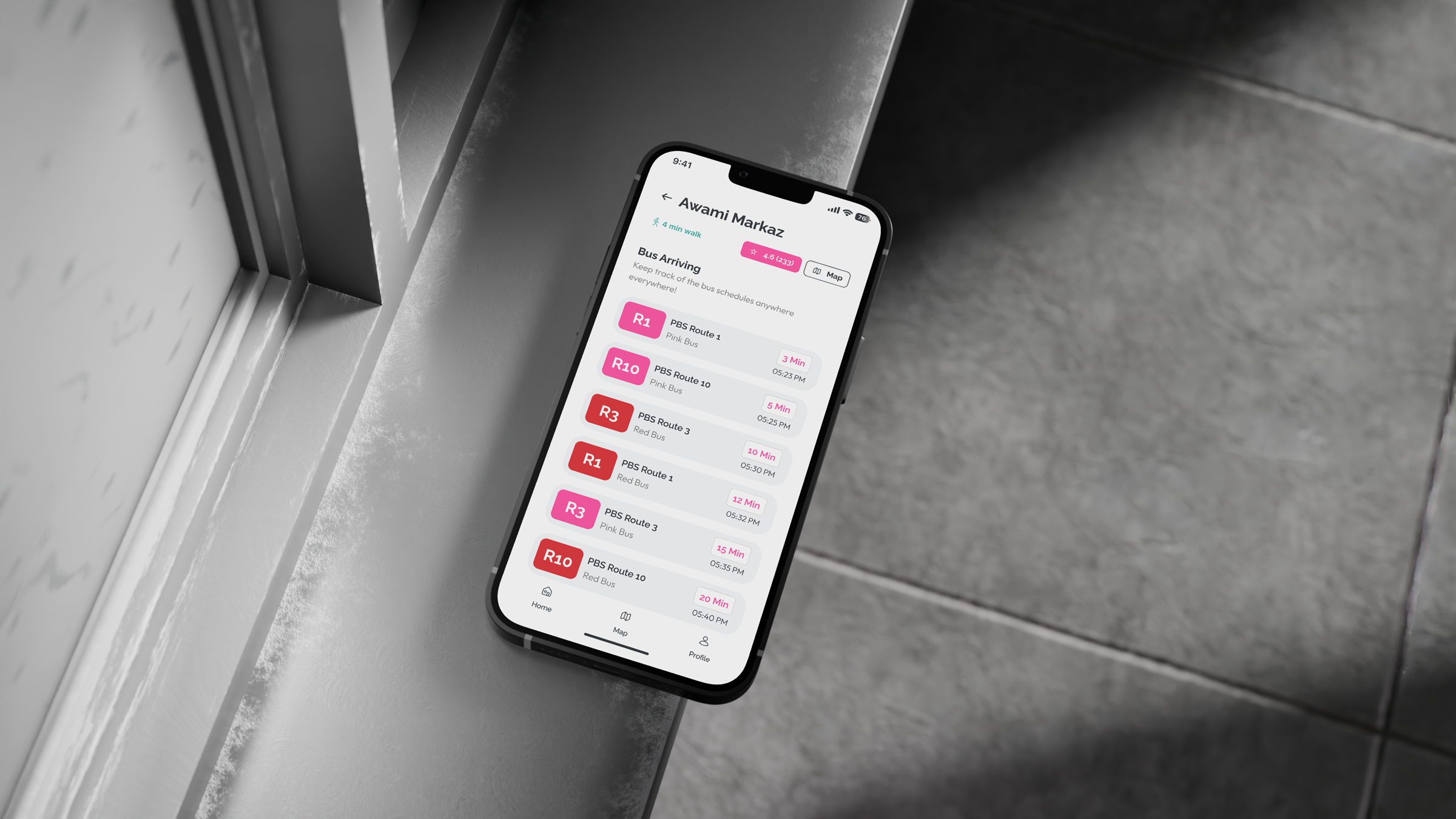
A service designed around women's safety in Karachi — moving past a single panic button to map the full ecosystem of trust, response, and aftercare.

A website rebuild and brand identity for an ABA practice — turning a stack of isolated pages into a service that visitors actually move through.